Blue Tees GAME: AI Golf GPS
- 4.8
- Rating
- 50.00K
- Installs
- Free
- Price

 Analysis by App-foxy
I approached Blue Tees GAME: AI Golf GPS as the kind of tool I would use before and during a normal round, not as a replacement for learning a course. Its purpose is clear: bring an AI caddie, golf statistics, score tracking, and course maps together in one sports app. That combination makes sense for players who want more information without carrying a separate rangefinder, notebook, and post-round spreadsheet.
What I like most is the way the app encourages a more deliberate round. Instead of only checking distance and moving on, I can use the map, record the result of a hole, and gradually build a clearer picture of the decisions that cost me shots. The experience feels more useful when I treat it as a playing companion rather than a magic answer generator. It can help me choose, reflect, and organize, but I still have to judge the lie, wind, confidence, and risk.
How the app feels in a real round
The app is developed by Blue Tees Golf, a company already associated with golf equipment and course-distance tools. That background shows in the app’s practical focus. This is not a general fitness tracker with a golf mode added as an afterthought. The center of the experience is the course, the next shot, and the information that can improve a decision.
You May Also Like

 AccuWeather: Weather Radar
AccuWeather Review: A Quick, Clear Forecast for Everyday Decisions
For everyday plans, the best forecast is the one you can understand quickly. AccuWeather makes rain timing, radar, and local conditions easy to act on, with a few trade-offs.

 Hill Climb Racing
Why Hill Climb Racing Still Turns Crashes Into One More Run
A tiny car, a bumpy hill and one more upgrade: Hill Climb Racing keeps resurfacing because its simple chaos makes every near-miss feel personal.

 AliExpress - Shopping App
AliExpress Makes Global Shopping Feel Personal, but Shoppers Bear the Risk
AliExpress turns a global marketplace into a pocket-sized discovery engine. Its reach is useful, its shopping loop compelling, and its trade-offs easy to miss.

 Lords Mobile: Kingdom Wars
Lords Mobile Is a Kingdom-Building Routine, Not a Quick Match
A case-by-case verdict on the building, battles, device demands, and social commitments that make Lords Mobile rewarding for some players and exhausting for others.

 PDF Scanner app - TapScanner
TapScanner Makes Paperwork Easier to Capture, Check, and Share
TapScanner makes scanning with a phone feel less like a rescue operation and more like a dependable step in getting work done. Its capture tools are useful, though not flawless.

 Block Blast!
Block Blast! Shows How Much a Puzzle Game Can Leave Out
A quiet grid game shows why puzzle players increasingly value instant clarity, repeatable skill and low-pressure play—and where the genre still needs to catch up.
More From Our News Desk
View All News


In everyday use, I would open it before the first tee to get familiar with the course view and scoring workflow. During play, the most valuable habit is keeping the interaction brief. Golfers do not want to spend every pause tapping through menus, so the app works best when I decide in advance what I want to record. If my goal is scorekeeping, I can keep that simple. If I want meaningful statistics, I need to be consistent from the opening hole rather than trying to reconstruct the round afterward.
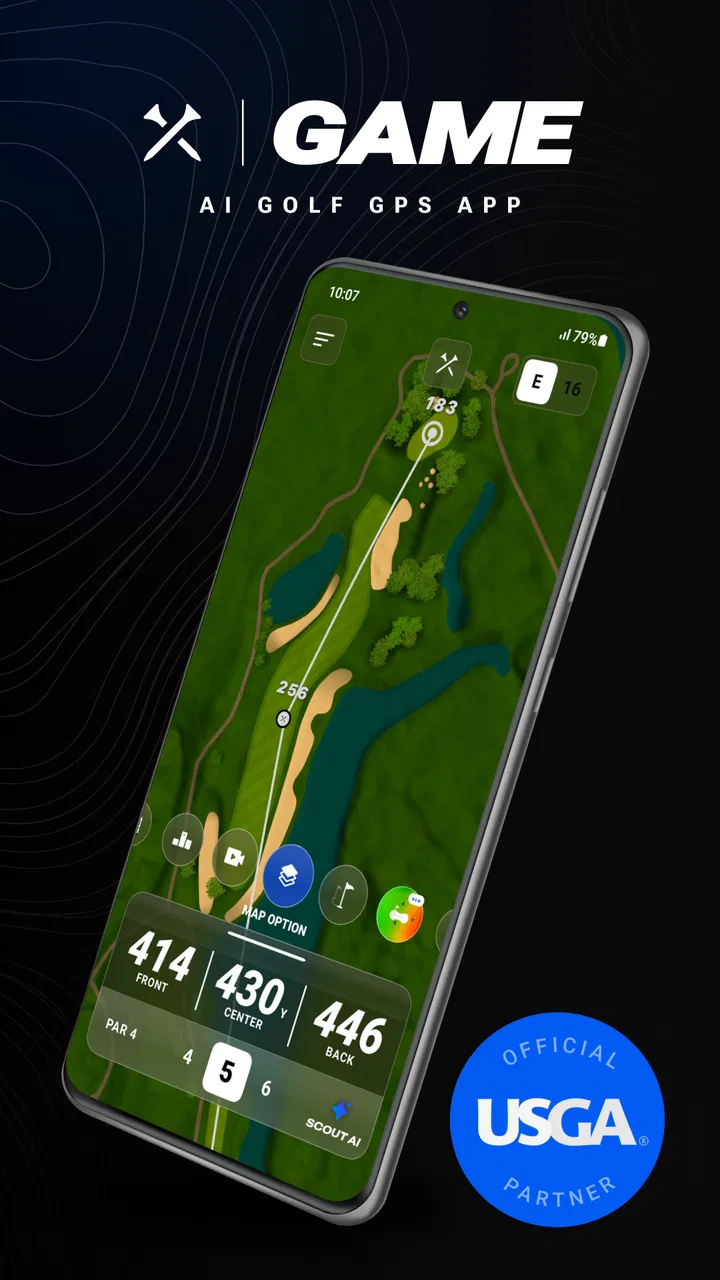
The map is especially helpful when I am playing somewhere unfamiliar. A basic distance number tells me how far away a target is, but a visual layout gives more context. It can prompt me to think about where trouble sits and whether the aggressive line is actually worth taking. That is a subtle difference, but it changes the app from a distance display into a planning tool.
The AI caddie is the feature that will attract the most attention, although I would use it with sensible limits. A recommendation can organize the information available to the app, but it cannot see every detail I can see from the tee or fairway. A wet lie, a blocked stance, a gust that changes direction, or a player’s lack of confidence can outweigh a neat digital suggestion. I see the caddie as a second opinion, not an authority.
That distinction matters for newer golfers. Someone still learning club distances may appreciate a prompt that makes the next decision less intimidating. At the same time, relying on an automated recommendation for every shot could slow the development of personal course management. I would use it to compare my instinct with another perspective, then note when my own judgment was better or worse.
Scorekeeping that can become useful later
The scoring side has more long-term value than it may seem at first. Recording a score is easy; recording it in a way that reveals patterns is the real benefit. If I repeatedly lose strokes on a particular type of hole, the app becomes a place to notice that tendency instead of blaming one unlucky bounce.
A practical workflow is to enter the result soon after finishing each hole, while the details are still fresh. If I wait until the end, I may remember the total but forget whether the problem was a poor tee choice, a missed short putt, or a recovery shot that turned one mistake into two. The more disciplined I am, the more useful the statistics become.
This is one of the app’s less obvious trade-offs: its value depends partly on user behavior. Someone who wants a completely passive experience may find detailed tracking tedious. Someone who enjoys improving through evidence can turn a few seconds of recording into a useful post-round review. I would not track every possible detail during a casual social game, but I would do more when preparing for a competition or trying to break a scoring plateau.
Another useful approach is to review only one theme after each round. For example, I might look at tee decisions one day and approach shots the next. That keeps the information manageable. Looking at everything at once can create a long list of weaknesses without a clear priority, while a narrow review can produce one practical change for the next round.
Maps are most valuable before the shot
Many golfers only look at a GPS tool after arriving at the ball. I think the map is more valuable before that moment. On a par five, for instance, I can consider whether my second shot should be aggressive or whether a safer position leaves a simpler approach. On a narrow hole, I can decide whether a shorter club gives me a better angle even if it does not maximize distance.
This planning habit also helps prevent a common mistake: choosing a club based only on the flag. The best target is not always the pin. A map can encourage me to choose a wider landing area, avoid a hazard, or leave a comfortable distance for the next shot. Those decisions rarely look dramatic, but they are exactly where a GPS companion can support better course management.
I would still verify what I see against the physical course. Markers, local rules, temporary conditions, and changes to a hole can make any digital view less complete than the real landscape. The app is strongest when it supplements observation rather than replacing it.
What the current version means for players
The current version is 1.17.0, and the app first appeared on May 31, 2023. That gives the product a visible progression from its initial release toward a more established tool, while also setting a useful expectation: this is an actively shaped app rather than a one-off scorecard experiment. I would still judge each update by how smoothly it supports a round, not by the version number alone.
For an existing user, a newer version is most valuable when it makes familiar actions easier or more dependable. Golf apps live or die by small moments: opening the course quickly, finding the right hole, checking a target without confusion, and recording a score before the group moves on. Even a clever feature has limited value if it interrupts those basics.
For a new user, the current release is a reason to explore the complete workflow instead of testing only the headline AI function. I would spend one practice round learning the map and score process, then decide whether the caddie adds meaningful value to my decisions. That approach avoids forming an opinion based on a single impressive recommendation or one awkward interaction.
The app is free to install, with optional in-app purchases ranging from $14.99 to $179.99 per item. That pricing structure makes the first step relatively easy: I can see whether the interface suits my habits before committing money. The more important question is not simply whether paid content exists, but whether I will use the advanced parts often enough to justify the purchase. A golfer who plays only a few times a year may be perfectly satisfied with a lighter workflow, while a frequent player has more opportunity to benefit.
I would also pay attention to the purchase screen before starting a subscription or unlocking anything. Golf tools can become expensive when several services are combined, so I prefer to identify exactly what I need: maps, statistics, caddie assistance, or the full package. The app’s free entry point is useful, but it should not encourage me to buy features I will rarely open.
Where it fits among familiar alternatives
The usual alternatives are a dedicated rangefinder, a basic GPS app, a paper scorecard, or a general golf tracker. Each has a different strength. A rangefinder can feel faster for checking one precise target. A paper card is wonderfully simple and never needs a battery. A basic GPS tool may be preferable for someone who wants distance information without analysis. A broader golf platform may suit players who care more about social competition or a large history of rounds.
Blue Tees GAME stands out by combining several jobs in one place. I do not have to choose between a visual course view and score tracking, and the AI caddie gives the app a more advisory character than a plain yardage display. That convenience is its main advantage, but it is also where the compromises appear. More functions mean more setup, more screen interaction, and more decisions about what to record.
If I were playing a quick nine holes and wanted almost no phone use, I might choose a simpler option or a physical rangefinder. If I were working seriously on course management, I would prefer this kind of integrated approach because the map and statistics can be connected to the same round. The right choice depends less on which app has the longest feature list and more on whether I want information during play, reflection afterward, or both.
Small habits that make the app better
My first tip is to prepare before arriving at the tee. Open the course, check that the scoring method feels comfortable, and decide whether you are tracking a full set of statistics or only the essentials. A little preparation keeps the phone from becoming a distraction once the round begins.
My second tip is to use the map for landing zones, not just final targets. Looking at the next shot before choosing the current club can reveal when a conservative play creates a better angle. This is where the app can influence strategy rather than merely report distance.
My third tip is to compare recommendations with outcomes, not with ego. If the AI caddie suggests a conservative option and I choose the risky one, I should record what happened without treating the result as proof that one decision was always correct. Over several rounds, that comparison can show whether my aggressive choices actually produce benefits or simply feel exciting.
A fourth useful habit is to review the round while the emotional details are still available, but keep the review short. I would identify one repeated mistake and one decision that worked. That creates a practical next step instead of turning the statistics into a judgment of the entire game.
Who will enjoy it, and who should skip it
This is a strong match for golfers who want a single digital companion for maps, scores, and improvement. It should appeal to players who enjoy seeing patterns in their rounds, golfers visiting unfamiliar courses, and anyone who wants more guidance than a simple distance number provides. Newer players may also appreciate having a structured way to think through a hole.
I would be more cautious recommending it to golfers who dislike using a phone on the course. If the priority is uninterrupted conversation, minimal screen time, or the fastest possible target check, a dedicated device may be better. The same is true for players who already have a trusted system for statistics and do not want to duplicate their records.
It is also not the right tool for someone expecting artificial intelligence to remove uncertainty from golf. The app can organize information and suggest a plan, but it cannot turn a difficult lie into an easy one or compensate for inconsistent contact. Its best role is helping me make repeatable decisions, not promising perfect ones.
What I would watch as the app continues
As the product develops, I would watch the balance between depth and speed. New capabilities are welcome only if they remain easy to use between shots. I would also look for continued refinement of the caddie experience, especially how clearly it explains a recommendation and how well it supports a player who wants to understand the reasoning rather than simply follow an instruction.
I would pay attention to how the statistics connect back to practical advice. Numbers are most valuable when they answer a question such as which decisions are costing me strokes or which type of hole deserves a safer plan. A growing collection of charts would be less useful if it did not lead to clearer action.
Finally, I would keep an eye on the relationship between the free starting point and the paid features. The app is easier to try because it costs nothing to install, but golfers should be able to decide calmly which tools genuinely fit their playing frequency. Clear value matters more than having every possible function.
After using it as a complete golf workflow, I see Blue Tees GAME: AI Golf GPS as a thoughtful option for players who want course information and improvement tools together. Its strongest quality is not one isolated feature; it is the way maps, scoring, statistics, and advice can support the same round. The experience becomes especially rewarding when I prepare beforehand, keep tracking consistent, and treat recommendations as guidance.
Its limitations are equally clear. Phone interaction may feel like too much for casual golfers, detailed tracking asks for discipline, and the AI caddie cannot replace real-world judgment. Still, the free starting point makes experimentation straightforward, and the app has enough depth to remain useful beyond a first round. With an Everyone age rating, support for operating systems from version 10 onward, an average rating of 4.8 from around 4.7 thousand ratings, and over 50 thousand installs, it has already attracted a meaningful audience. I would recommend trying it to golfers who want to turn their rounds into better decisions, while steering minimalist players toward a simpler alternative.
FAQs for Blue Tees GAME: AI Golf GPS
01What is Blue Tees GAME: AI Golf GPS used for?
Blue Tees GAME: AI Golf GPS is a mobile golf companion designed to help players plan and manage their rounds. It provides GPS distances to important points on the course, including the front, center, and back of the green, as well as hazards and other targets. The app can also support score tracking and course strategy, making it useful for casual golfers and players who want more information during each shot.
02Does Blue Tees GAME: AI Golf GPS require a Blue Tees device?
The app can provide useful GPS golf features on its own, so a compatible Blue Tees rangefinder or other accessory is not necessarily required for basic course information. However, certain connected features may be designed to work with Blue Tees hardware, depending on the product and subscription available in your region. Before downloading, check the current compatibility list and account requirements if you plan to pair the app with a Blue Tees device.
03Is Blue Tees GAME: AI Golf GPS free to download and use?
The application may be available to download at no initial cost, but some advanced tools, premium course data, connected-device functions, or AI-related features may require an in-app purchase, subscription, or compatible Blue Tees product. Pricing and included features can change over time. We recommend reviewing the app-store listing and subscription terms carefully before starting a trial, especially if automatic renewal is enabled.
04Does the app work without an internet connection while playing golf?
Blue Tees GAME: AI Golf GPS generally relies on GPS location services to determine your position on the course, while course maps and account features may require mobile data or Wi-Fi. Coverage can vary, particularly at remote golf clubs. If the app offers course downloads or offline access, it is best to prepare before arriving, sign in beforehand, and allow location permissions so the app can function more reliably during the round.
05What permissions and phone requirements does Blue Tees GAME: AI Golf GPS need?
The app typically needs location access to calculate distances and identify your position on a golf course. Bluetooth permission may also be necessary when connecting to a compatible Blue Tees rangefinder or accessory. Depending on the device and operating system, it may request notification, motion, or background-location permissions for specific functions. Make sure your phone has a supported Android or iOS version, sufficient battery, and updated location services before playing.
Pros
- Accurate GPS distances help with club selection on unfamiliar courses.
- Shot tracking makes it easier to review rounds and identify recurring weaknesses.
- The interface is clean and easy to read during play.
- Course maps provide useful visual context for hazards and landing areas.
- Works well for golfers who want data without carrying a dedicated GPS device.
Cons
- Some advanced features may require a paid subscription.
- GPS accuracy can vary near trees
- buildings
- or in poor signal conditions.
- Continuous GPS use can noticeably reduce your phone’s battery life.
- The app may feel overwhelming for casual golfers seeking only basic distances.
- Certain course data and features may not be available in every region.

Blue Tees GAME: AI Golf GPS
Gallery